Amini Illustrations
Generate on-brand Amini editorial illustrations — dark-first, one Sunglow accent, Ami performing the core action.
Install
$ zana add amini-illustrationsThe palette auditor needs numpy (plus Pillow if macOS `sips` is unavailable): `pip install numpy pillow`, or run it with `uv run --with numpy --with pillow`. Image generation uses whatever image tool the session provides.
How it runs
On-palette 16:9 editorial images, machine-verified.
- 01
Read
Find the ideas that are structural, not decorative
- 02
Shot list
One idea per image, and what Ami is doing in it
- 03
Generate
One call per image. Never composite concepts
- 04
Audit
palette_check.py: rogue hues, Sunglow share, ground
- 05
Snap or redo
Drift snaps to exact hex. A rogue hue regenerates
- 06
Deliver
Audited files, with the result stated per image
Marked steps are enforced by a script.
Sample work
What this skill actually produced. Not mockups.
Example: planning and auditing an illustration set
examples/6g-isac-illustrationsTwo artefacts from the same paper: the shot list the skill produces before it generates anything, and a real palette audit.
$ python3 scripts/palette_check.py 02-network-as-a-sensor.png --mode light


02-network-as-a-sensor.png  2752x1536  mode=light

  PALETTE COVERAGE
    on-palette (ΔE≤6)         98.2%
    drift (ΔE≤26, snappable)   1.4%
    off-palette                0.3%

  BRAND COLORS PRESENT  (incl. drift)
     93.0%  Marble White     #FFFFFF
      5.0%  Space Black      #121212
      0.9%  Sunglow          #FFC83C
      0.3%  Slate Grey       #E1E1E1
      0.2%  Charcoal Black   #202020
      0.1%  Stone Grey       #ECECEC
# Generation prompts: Sovereign Cognitive Digital Twins

Six prompts, built from `references/prompt-template.md` with the slots filled from
`shot-list.md`. Paste one per call. Never composite two into a single canvas.

Every prompt below is dark mode, which is the default. Each one carries the full style block
because image models do not remember the last call.

After generating, audit before you deliver anything:

```bash
python3 scripts/palette_check.py <image.png>
```

---

## 01 · The perception gap
# Shot list: Sovereign Cognitive Digital Twins (6G ISAC)

Source: Cayetano, Gichuru, Morris, *"Sovereign Cognitive Digital Twins: Fusing 6G ISAC,
AI-RAN, and Zero-Trust Edge Grids for National Resilience in the Global South"* (v3, July 2026).

Six images. The paper carries more ideas than that, but most of them are prose-only. These
six are the ones that are structural, where a reader's understanding shifts and a sentence
does the job badly.

Mode is dark on all six. The paper's own figures and result plates stay as they are; these
sit alongside them, not instead of them.

---

## 01 · The perception gap

**Placement** After §I.A, the climate threat.
**Idea** Decisions with minutes-to-hours stakes are made on data with hours-to-days latency.
Reference output
assets/examplesA generated and audited image, shipped as the calibration target.
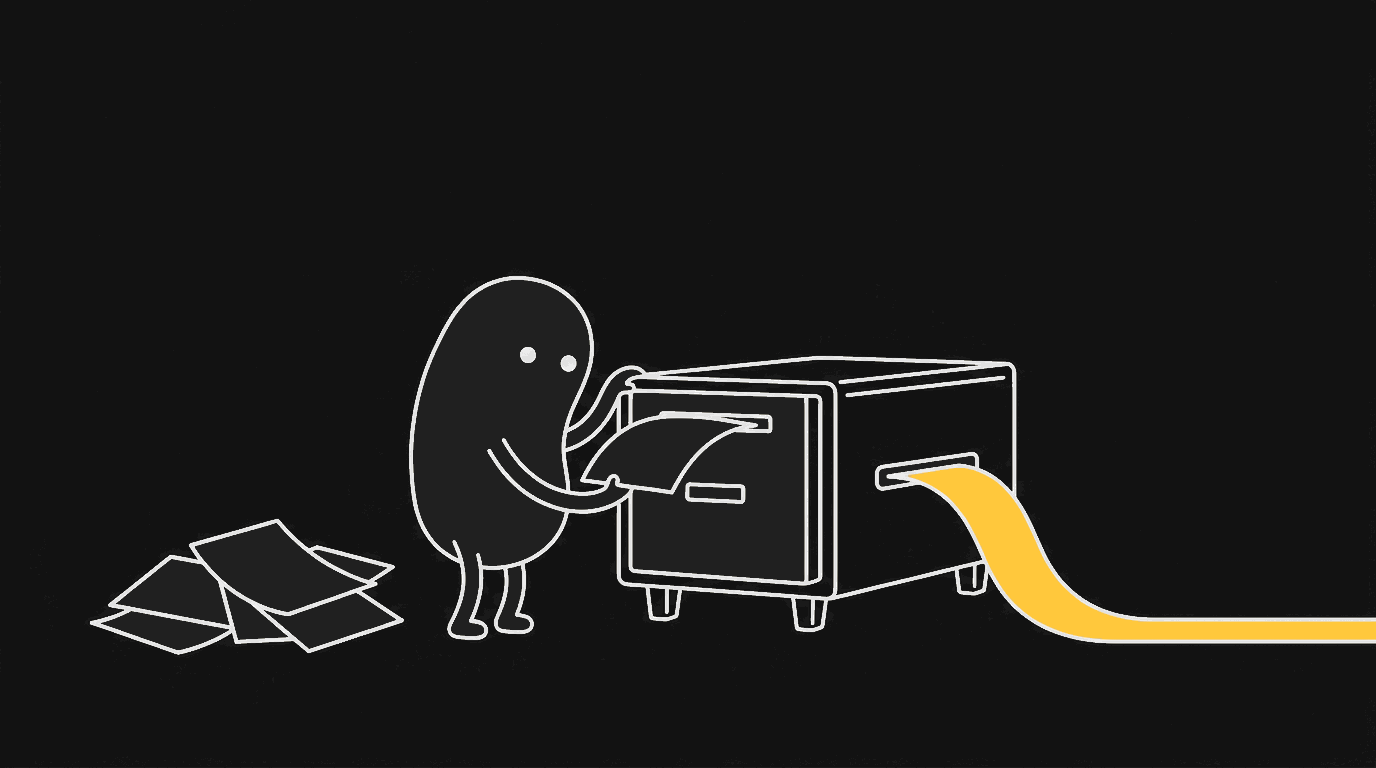
01-digitisation-flow.png · 1/1
22 files. Read them here, or pull the folder without the CLI.
$ npx degit aminitech/amini-zana/catalog/skills/amini-illustrations ~/.claude/skills/amini-illustrationsNo clone, no history. Just this folder.
$ git clone --depth 1 --filter=blob:none --sparse https://github.com/aminitech/amini-zana.git && cd amini-zana && git sparse-checkout set catalog/skills/amini-illustrations$ curl -sL https://raw.githubusercontent.com/aminitech/amini-zana/main/catalog/skills/amini-illustrations/SKILL.md---
name: amini-illustrations
description: "Generate on-brand Amini editorial illustrations for articles, decks, docs, blog posts, product pages, LinkedIn posts and investor material. Use for requests like article illustration, hero image, explainer graphic, shot list, illustration strategy, diagram, concept art, mascot, or Ami. Dark-first Space Black ground, Stone Grey line art, single Sunglow accent, deadpan Ami character performing the core action. Includes a palette auditor that enforces the Amini brand hex."
license: MIT
metadata:
author: Amini
version: "1.0.0"
---
# Amini Illustrations
Design and generate 16:9 editorial illustrations for Amini content — articles, decks, docs, product pages, social posts, investor and government material.
The goal is not decoration, marketing gloss, or a technical diagram. It is to take one judgement, structure, state, or metaphor from the piece and render it as a single restrained image that a minister, an investor, or an engineer would all read the same way.
The recurring character is **Ami**: a solid charcoal figure with blank white dot eyes and thin legs, operating infrastructure with a completely level expression. Ami is not a mascot. Ami must perform the core action of the image — if the idea survives with Ami removed, Ami is decoration and the prompt needs rewriting.
## Read these as needed
Load only what the task requires:
- `references/style-dna.md` — palette roles, line language, the restraint rules, hard prohibitions.
- `references/ami-ip.md` — Ami's form, register, action vocabulary, and prohibitions.
- `references/composition-patterns.md` — structure types, Amini's subject domain, and the metaphor engine.
- `references/prompt-template.md` — the per-image generation prompt and edit prompts.
- `references/qa-checklist.md` — what to check after generation and how to iterate.
- `assets/ami-reference/` — the canonical Ami, dark and light. Style calibration only. Do not reproduce this pose or subject.
- `assets/examples/01-digitisation-flow.png` — one generated-and-audited image showing the target look. Calibration for palette, line weight, and emptiness. Do not reuse its composition.
- `examples/6g-isac-illustrations/` — a worked shot list for a research paper, plus a real palette audit run. Shows the planning and QA artefacts, not the images.
## Brand ground rules
These come from the Amini design system and are not negotiable:
- **Dark is the default.** Space Black `#121212` ground unless light mode is explicitly requested.
- **Sunglow `#FFC83C` is the only accent** and never a background fill. One accent per image, marking the one thing that matters.
- **Bordeaux `#861D2C` on light backgrounds only.** Never on dark.
- **No off-palette color.** The palette is greyscale plus Sunglow (plus Bordeaux on light). No blue, no green, no red that isn't Bordeaux.
- **Premium, technical, forward-looking.** Restraint over decoration, precision over whimsy.
Full palette and type rules: `references/style-dna.md`.
## Workflow
### 1. Read the source
Read the article, doc, deck, Notion page, or brief. Extract:
- The central claim
- Which passages carry a shift in understanding
- What is genuinely structural (and so worth an image)
- What is prose-only and needs no image
Do not illustrate evenly. Choose cognitive anchors: the core judgement, a before/after, an input→output loop, a divide, a ladder of stages, a failure mode, an ownership transfer.
### 2. Propose a shot list first
If the request is strategic ("what should we illustrate", "plan the visuals"), stop at the shot list. Do not generate. For each image give:
- Placement (which section it follows)
- Subject
- The one idea it carries
- Structure type
- What Ami is doing
- Suggested objects
- Suggested labels (ALL-CAPS, ≤3 words each)
- Mode (dark default, or light with reason)
Default 3–6 images. Short pieces get 1–2. Long pieces rarely need more than 8.
### 3. Generate, one image at a time
If the request is explicit ("generate", "make these", "produce the images"), proceed without waiting for confirmation.
Generate each image with a **separate** call — never composite several concepts into one canvas. Use `mcp__claude_ai_Higgsfield__generate_image` when available; otherwise use whatever image generation tool the session provides. Build the prompt from `references/prompt-template.md`.
Every prompt must carry: 16:9, flat Space Black ground, Stone Grey line art, one Sunglow accent, generous negative space, Ami performing the core action, and the explicit prohibitions (no gradient, no glow, no texture, no 3D render, no stock-vector look, no corporate infographic, no off-palette color, no title text).
### 4. Audit the palette — always
Generated images drift off-brand. Amini forbids off-palette color, so every image is audited before delivery. Paths below are relative to this skill's own directory:
```bash
python3 scripts/palette_check.py <image.png>
python3 scripts/palette_check.py <image.png> --mode light
python3 scripts/palette_check.py <image.png> --snap
```
It reports palette coverage, which brand colors are present, rogue hues, Sunglow share, and whether the ground is correct. Exit code is non-zero on failure.
- **Rogue hue reported** (blue, green, teal, non-Bordeaux red) → regenerate with the prohibition stated harder. Snapping will not fix a wrong-colored element.
- **Drift only** (right colors, imprecise hex) → `--snap` writes `<name>-snapped.png` with near-palette pixels pinned to exact brand hex, leaving anti-aliased edges alone.
- **Wrong ground** → the model ignored the dark-first instruction; regenerate.
- **Sunglow over ~15%** → the accent has become a fill; regenerate with fewer accented elements.
Then run the visual checks in `references/qa-checklist.md`.
### 5. Deliver
Save into the working repo as:
```text
assets/<slug>-illustrations/01-subject.png
```
Keep the audited (or snapped) file as the deliverable and preserve originals. Never overwrite existing assets unless asked.
Report: how many images, what each is for, where they are saved, palette audit result per image, and which are strongest versus optional.
## Output register
Keep strategy output short and specific. Keep delivery output factual. Do not explain the style at length — the images carry it.
About
An agentic skill for the visual half of Amini's content: 16:9 editorial illustrations for articles, decks, docs, product pages, social posts, and investor or government material. It plans a shot list before it generates anything, so images carry cognitive anchors (a before/after, an input→output loop, a divide, an ownership transfer) instead of decorating evenly. The recurring character is Ami — a solid charcoal figure with blank white dot eyes that must perform the core action of the image; if the idea survives with Ami removed, the prompt gets rewritten. Ships the style DNA, the Ami IP rules, composition patterns, the generation prompt template, a QA checklist, and canonical reference art. Every image is machine-audited before delivery: `scripts/palette_check.py` reports palette coverage, rogue hues, Sunglow share, and ground correctness, exits non-zero on failure, and can `--snap` near-palette pixels to exact brand hex.
Amini · Manila, Philippines